Upload Your Images
Front Face
🖼️
Click or drag front image
Back Face
🖼️
Click or drag back image
💡 The better your image quality, the sharper your STL will be.
Front
Original
Color Preview
Back
Original
Color Preview
Position Front on Chip — drag to move
Position Back on Chip — drag to move
Detail▶
Controls the working resolution used for color detection on each source image — independent of the chip's final size. Lower it to smooth out noise from a marginal/blurry image; raise it to preserve fine detail from a clean, high-res one.
600
600
Background Removal▶
Optional. If you skip this for a side, that side's full original image is used as-is for color detection.
30
0
30
0
⚠ After adjusting a tolerance or detail slider, click the matching Remove Background button again to apply it.
Color Detection — Front▶
4
Click Detect Colors below — background removal is optional.
Color Detection — Back▶
4
Click Detect Colors below — background removal is optional.
Position Front▶
90%
Position Back▶
The mirror flip needed for two-sided printing is applied automatically at export — what you see is the back face as-is.
85%
Settings & Export▶
400
Circle resolution controls how finely the final round shape is built — separate from the per-image Detail sliders above, which control color-detection quality.
Color Bodies in Export
💡 If your STL shows jagged or rough edges, the fix is usually a better source image — try a cleaner, higher-resolution version.
Generating...
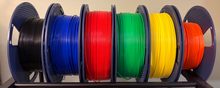 🧵 I print all of these on SUNLU PLA+ filament — it's what I use for every example on this site.
As an Amazon Associate I earn from qualifying purchases.